


Rocket Money - Bills & Budgets
4.541.20K Reviews
App Specs
- Version
- 15.6.0
- Updated On
- License
- Free
- Downloads
- 10,000,000+
- Developer
- Rocket Money - Bills & Budgets
- Categories
- Finance
- Platform
- Android, iOS
Screenshots
 Analysis by AppCompare
When money is spread across bills, card purchases, and subscriptions, the hardest part is often knowing where to begin. I find that Rocket Money - Bills & Budgets is most useful when I want one place to review spending and make a practical next step, rather than a complicated system that demands constant upkeep. Its focus is personal finance, with tools for tracking expenses, planning budgets, managing subscriptions, and looking for ways to reduce bills.
Readable screens and a clear route through money tasks
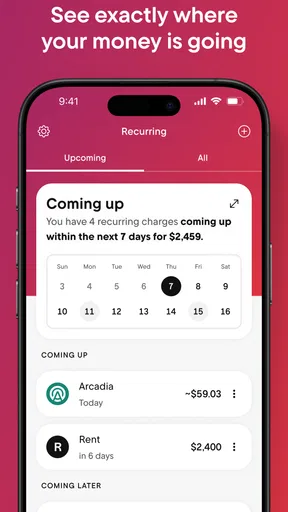
A finance app can be technically powerful and still be hard to use if every screen is crowded with totals and prompts. Rocket Money’s dashboard is designed to give a quick view of spending and saving, which can help when I only have a minute to check whether recent activity looks normal. I would use that overview as a starting point, then open the relevant area when I need to inspect a subscription or budget. That is more manageable than trying to solve every money question from a single screen.
The app is developed by Rocket Money - Bills & Budgets, and its broad appeal is reflected in an average rating of 4.6 from around 120,000 ratings. It has been installed over 10 million times, so it is a familiar option in the finance category. Those figures can help establish that many people use it, but they cannot tell me whether its layout will suit my eyesight, reading preferences, or way of handling money. My practical advice is to judge it by the tasks you actually need to complete, not by popularity alone.
Using it with different abilities and routines
For someone who can comfortably navigate a phone and connect accounts, the main benefit is reducing the number of places to check. People who prefer larger text, screen magnification, or assistive technology should test the important flows on their own device: reviewing a transaction, finding a recurring charge, changing a budget, and locating a cancellation option. Those steps matter more than a polished first screen, especially if you need to complete them independently.
There is also a sensory and attention trade-off. Alerts can be useful when they call attention to a bill or an unusual spending pattern, yet frequent notifications may become background noise. I’d start with only the reminders that solve a real problem, then adjust the rest to avoid turning a helpful finance tool into another source of interruption. If visual dashboards are tiring, a short planned check-in may work better than repeatedly opening the app throughout the day.
Getting Started with Rocket Money
First things first, downloading Rocket Money was a breeze. Available for both Android and iOS, it’s just a tap away. Once installed, the app guides you through a setup that’s as smooth as butter on hot toast. You'll need to link your bank accounts, but don’t worry, they take security seriously. With bank-level encryption, your data is safer than a squirrel’s nuts in winter.
Features That Shine
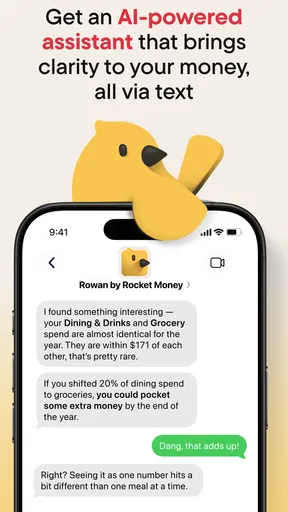
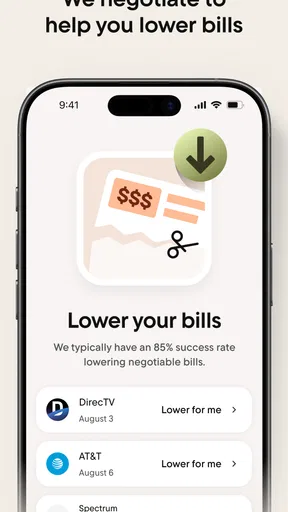
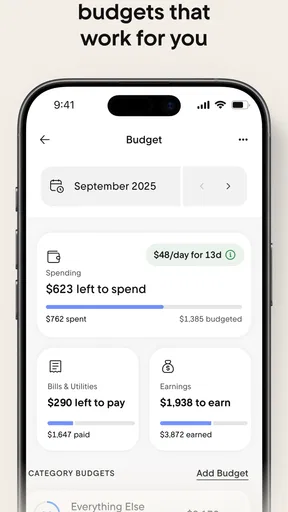
Rocket Money packs a punch with its features. It’s like having a financial advisor in your pocket. The app tracks your spending, helps you set budgets, and even renegotiates bills for you. Yes, you heard that right. It’s like having a friend who’s really good at haggling.
Worth Reading Before You Choose

EA SPORTS FC Mobile 26 Is a Bigger Football Game, but It Takes Time

Flipboard Shows What News Apps Must Do Beyond the Feed

Switching to Android Auto Means Rethinking Your Driving Routine

Google Calendar Makes a Crowded Week Easier to Manage

Ludo King Makes the Most of the Minutes Between Plans

Baby Panda World Brings Quick Play to Modern Phones, but Its Game Library Feels Busy
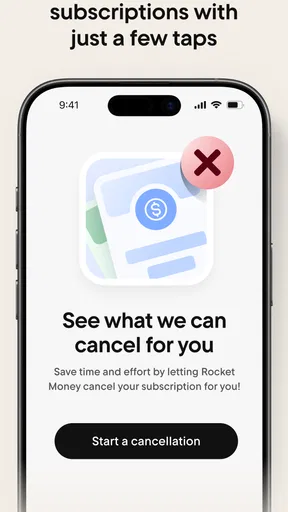
One of my favorite features is the subscription tracker. If you’re like me and sign up for every free trial faster than you can say "unsubscribe," this tool is a lifesaver. It identifies all your subscriptions and helps you cancel those you don't need.
Situations where the app helps—and where it may not
Picture a common payday routine: I get paid, a utility bill is due soon, and I have forgotten whether a streaming service is still charging me. I can use the app to review spending, check recurring subscriptions, and make a budget for the weeks ahead. The useful habit is to treat the result as a prompt to verify, not as an automatic decision. Before cancelling anything, I would check whether the subscription is shared, tied to another service, or needed for an upcoming renewal or family plan.
That makes the app a good fit for people whose main frustration is scattered financial information or forgotten recurring charges. It may be less suitable if you do not want to connect financial accounts, prefer to enter every transaction manually, or already have a spreadsheet routine that you trust. A dedicated bank app can be the better choice for someone who only needs balances and payments from one institution; a manual budget may offer more control for people who want to classify every purchase themselves. Rocket Money’s appeal is the convenience of bringing several money-management tasks together, not replacing every financial tool.
Small habits that make the tools more useful
I would begin with one narrow goal rather than setting up a budget for every part of life at once. For example, I might review recurring charges first, decide which ones still earn their place, and then set a spending target for a category that regularly catches me off guard. That order can reveal a possible saving before I make an ambitious plan that is hard to maintain. It also gives me a clearer way to judge whether the app is helping: I can look for fewer forgotten charges or more consistent spending, rather than expecting a dramatic financial turnaround.
Bill negotiation deserves a little patience. A tool that offers to seek a lower bill can save effort, but I would still compare any proposed change with the existing service terms and check whether a lower price affects what I receive. The same principle applies to budgets: an alert is a useful nudge, not proof that a purchase was a mistake. Realistic targets are more helpful than strict limits that I abandon after one busy week.
User Experience
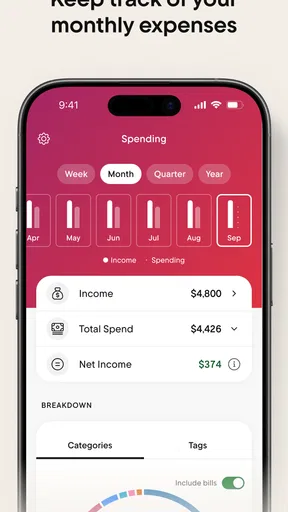
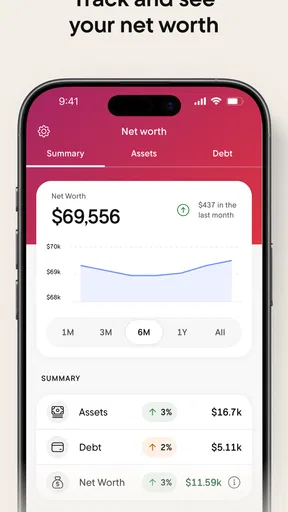
Using the app feels intuitive and friendly. The interface is as clean as a whistle, with a dashboard that displays your financial health at a glance. You can see how much you’ve spent, how much you’ve saved, and even how much you need to save to hit your goals.
"It’s like having a personal financial coach that never judges your impulse buys."
Practical access when life is busy
For people who share money decisions with a partner or family member, a quick review can help prepare a conversation about recurring costs or a household budget. I would not assume that everyone involved sees the same information or has the same access; instead, I’d use the app to gather the figures I need and discuss decisions together. It can also be useful during a commute or a short break, but financial changes are better handled when I can concentrate, especially if I’m reviewing a cancellation or a bill arrangement.
The app is free to download, rated for Everyone, and its current version is 12.7.0. In-app purchases range from $0.99 to $59.99 per item, so I would check the terms shown in the app before choosing any paid option. The free entry point makes it easy to try the basic experience, but it is sensible to understand what is included and what may involve a purchase before building a routine around a particular feature. It was released on July 14, 2016, and requires Android 9 or later; people using an older Android device should check compatibility before planning to install it.
Where friction remains
Linking accounts is central to the convenient overview, but it will not suit everyone. Some people would rather avoid connecting financial accounts to another service, while others may have accounts or money habits that do not fit neatly into an automated view. I would review the app’s current setup and account options before committing, and keep using the bank’s own records as the reference for a transaction that looks unfamiliar. Automation can save time, but it still needs occasional checking.
There is also a difference between spotting a charge and resolving it. A subscription tracker can make a forgotten payment easier to notice, but the user still needs to decide whether to cancel and follow the appropriate steps. The same goes for bill reduction: an offer to help is not a guarantee that every bill can be lowered. For anyone who relies on a strict, highly customized financial plan, the app’s bundled approach may feel less precise than a spreadsheet or specialist budgeting method.
Real-World Benefits
So, does it actually help? In my experience, yes. By setting up a budget and sticking to it, I found myself saving more and stressing less. The peace of mind that comes with knowing you’re on top of your finances is priceless.
Plus, the app sends friendly reminders and alerts, so you never miss a bill payment again. It’s like having a financial guardian angel whispering in your ear.
For me, the best measure of success is whether a quick review leads to one useful action: cancelling a charge I no longer need, adjusting a budget that was unrealistic, or making time to deal with a bill before it becomes urgent. I would not treat notifications as a substitute for checking due dates or confirming that a payment went through. If you are already organized and rarely forget recurring costs, you may not notice as much benefit; if subscriptions and spending are hard to track across the month, the reminders and consolidated view can provide a helpful routine.
A balanced choice for everyday money management
One question people often have is whether this can replace their bank app. I would use it alongside the bank rather than as a complete replacement: Rocket Money helps organize spending and subscriptions, while the bank remains the place I would go to verify account activity and handle banking tasks. Another practical question is whether it suits someone who wants to avoid paid features. The app is free to start, but because in-app purchases are available, I’d check each feature’s terms before deciding whether it fits my budget.
For accessibility, my verdict is cautiously positive on convenience, not a claim that the app will work equally well for every person. A clear overview and a focused check-in can reduce the effort of keeping track, while account linking, visual presentation, notifications, and multi-step cancellation tasks may create friction depending on someone’s needs. I’d test the core actions with the display and assistive settings I normally use, keep alerts limited to what matters, and retain another way to confirm important bills. That approach lets the app support a routine without making it the only route to essential financial information.
Final Thoughts
After spending some quality time with Rocket Money - Bills & Budgets, I can confidently say it’s a game-changer for anyone looking to take control of their finances. It’s packed with features, easy to use, and genuinely helpful. So, if you’re tired of living paycheck to paycheck or simply want to optimize your spending, give it a whirl. You might just find it’s the missing piece in your financial puzzle.
I’d recommend it most to someone who wants a manageable starting point for subscriptions, bills, and everyday budgeting, and who is comfortable checking account information through a connected finance app. I would skip it if account linking feels like too much of a compromise or if I need detailed, hands-on control over every category. Used as a convenient organizer, with occasional verification and realistic expectations, it can make ordinary money decisions feel less scattered. For me, that modest practical help is a stronger reason to try it than any promise of effortless financial transformation.
Pros
- Easy-to-use interface simplifies budgeting.
- Real-time notifications for bill payments.
- Customizable spending categories.
- Secure connection with bank accounts.
- Offers subscription management tools.
Cons
- Limited features in the free version.
- Occasional syncing issues with banks.
- Customer support can be slow.
- Some features require premium access.
- Complex interface for beginners.
FAQs for Rocket Money - Bills & Budgets
What is Rocket Money and how does it work?
Rocket Money is a personal finance app designed to help you manage your bills and budgets effortlessly. It connects to your bank accounts to track expenses, analyzes spending patterns, and helps you set and maintain budgets. Additionally, it offers features to negotiate bills and cancel unwanted subscriptions, making financial management simpler and more efficient.
Is Rocket Money safe to use with my financial information?
Yes, Rocket Money prioritizes user security and uses bank-level encryption to protect your financial data. It only has read access to your accounts, meaning it cannot move money or access sensitive information. The app also follows strict privacy policies to ensure your data is never shared with unauthorized parties.
Can Rocket Money really help me save money?
Absolutely! Rocket Money identifies opportunities to save by analyzing your spending habits, suggesting budget adjustments, and helping you avoid overdraft fees. It also assists in negotiating bills and canceling unused subscriptions, which can lead to significant savings over time. Users often find themselves more financially organized and aware after using the app.
Does Rocket Money support multiple bank accounts and financial institutions?
Yes, Rocket Money supports a wide range of banks and financial institutions, allowing you to connect multiple accounts for comprehensive financial tracking. This feature is particularly useful for individuals with diverse financial portfolios, ensuring that all transactions and balances are monitored in one central location.
Is Rocket Money free, or are there any costs involved?
Rocket Money offers a free version with basic features for budgeting and tracking expenses. However, for more advanced functionalities like bill negotiation and subscription management, it offers a premium subscription. The cost of the premium service varies, and users can choose monthly or annual plans depending on their needs.


